See the workflow
in action.
See how GrantSonar moves from matched opportunity to Research Report, fit assessment, application tab, and first draft.
Watch the whole loop first — then scroll the five steps to see each click in detail.
Start with a grant that already fits.
GrantSonar reads your mission, programs, and eligibility footprint, then surfaces the grants that actually fit. No keyword roulette, no daily federal-register grind — every opportunity arrives pre-scored and pre-explained.
Match scores you can defend
Every grant gets a fit score with a transparent breakdown — mission alignment, eligibility, geography. Filter by tier, source, deadline, amount, or status without leaving the page.

Grant research before you write.
Before you commit a single hour of writing time, GrantSonar builds a Research Report on the grant detail page: NOFO/RFP context, eligibility requirements, funder snapshot, past recipients, and the facts your draft needs to respect.
Research lives where the grant lives
Run the Research Report from the grant detail page. It pulls grant requirements, available NOFO/RFP context, deadline and eligibility signals, and a funder snapshot before you start writing.

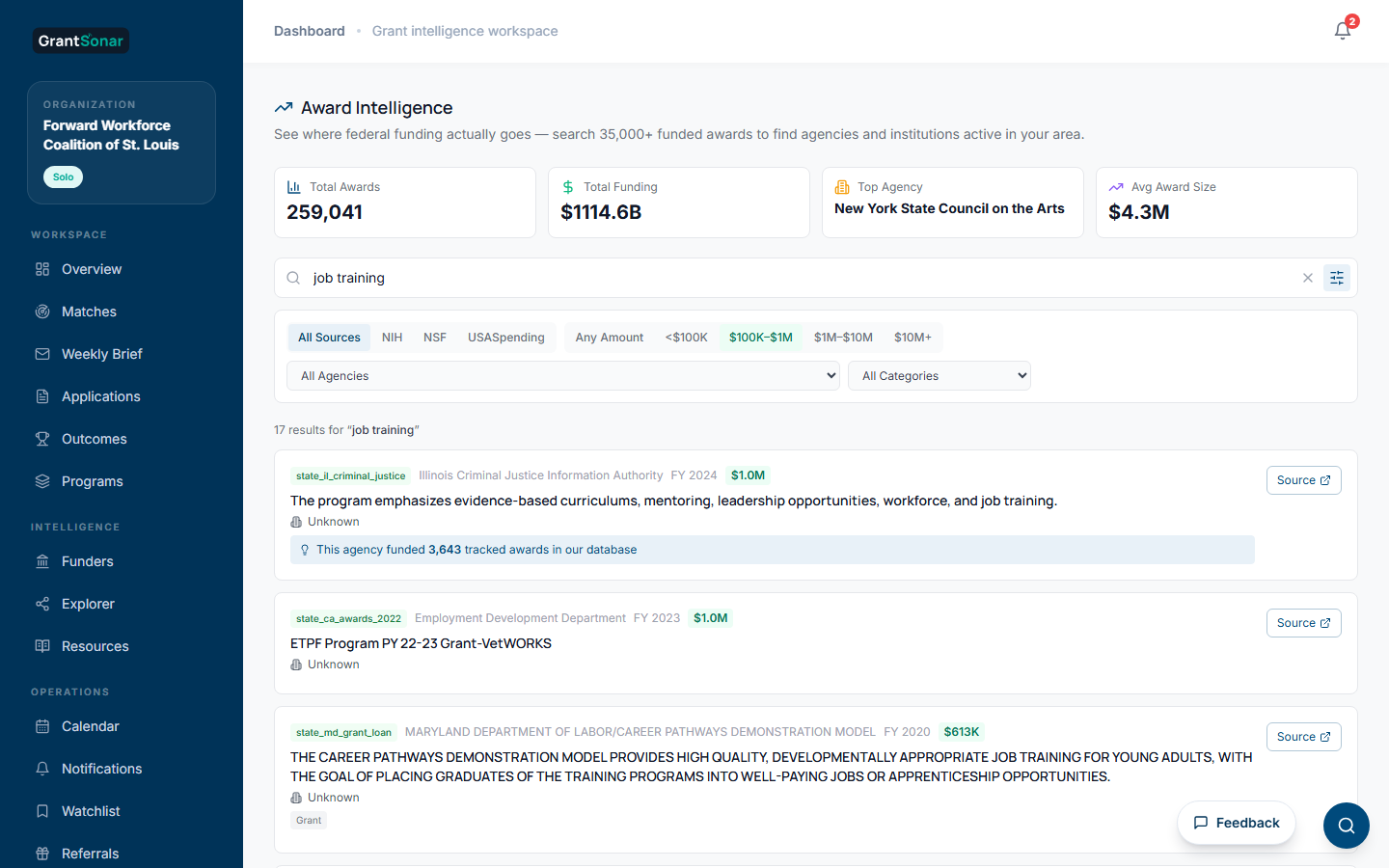
Learn from who actually got funded
Search the funded-award database to see where the money actually goes — which agencies fund work like yours, at what award size, and who has won before. Calibrate your competitive landscape with real award data instead of guesses.
AI fit assessment, grounded in the research.
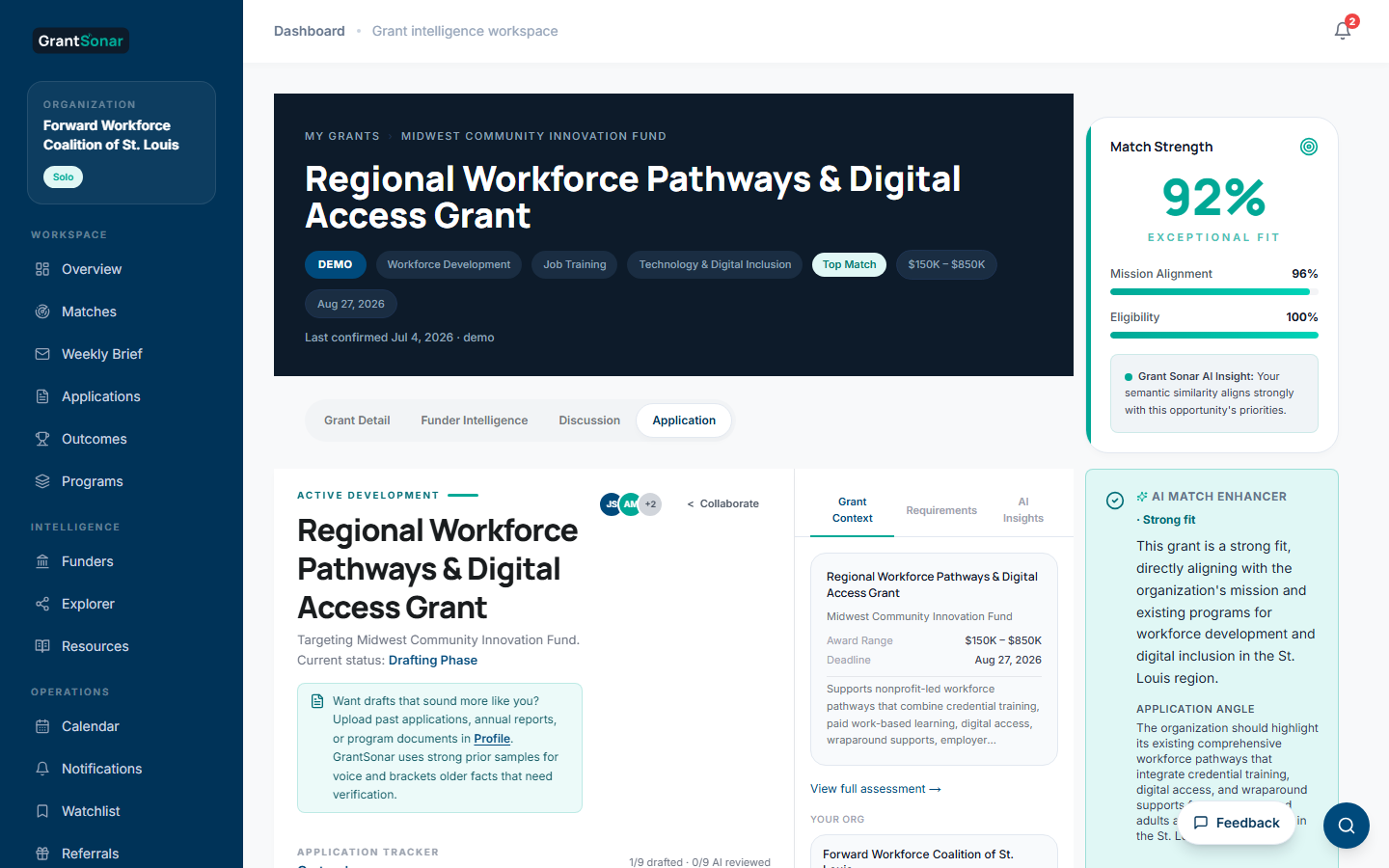
For Pro and Team, the Research Report triggers an org-specific AI fit assessment: strong, possible, weak, or not a fit, with red flags, obstacles, and a suggested application angle. Free users can still see shared research; they run their own org-specific assessment when they upgrade.
A verdict, not just a score.
Strong fit, possible fit, weak, or not a fit — with the reasons in plain language. See which parts of your profile drove the match, the win themes worth building the application around, and the watch-outs that could sink it. One honest read before you commit a writing hour.

Start the application. Generate the draft.
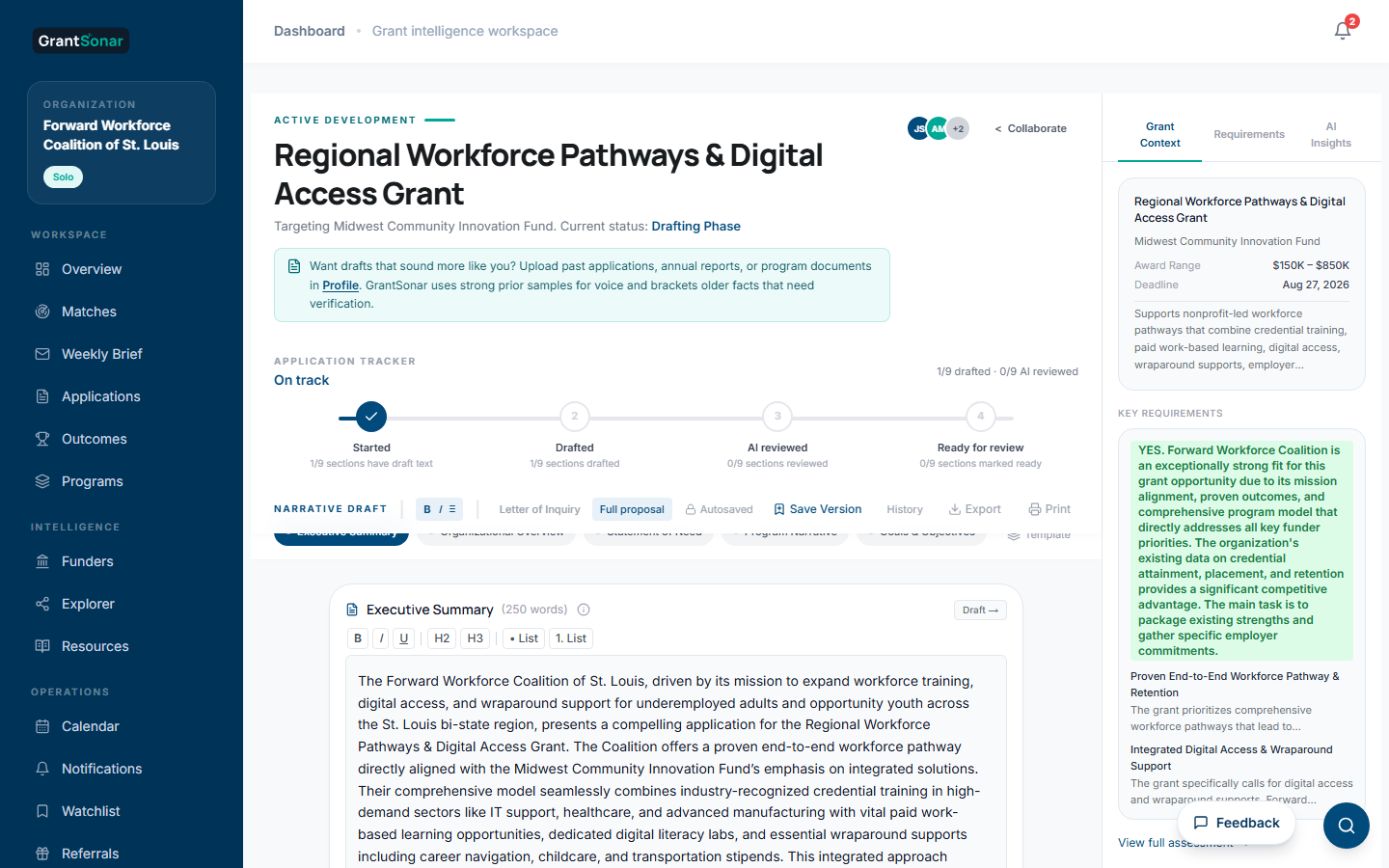
The application tab is wired to the Research Report, your org profile, any past applications you upload, and your team. Start the application and confirm the template, then one more click produces a complete first draft of every standard component, ready to refine.
Pipeline view of every active app
Kanban-style board: Drafting, In Review, Submitted. Progress bars, deadlines, AI writing intelligence surfaced next to the cards. See your full grant calendar without opening one application at a time.

A first draft of every section
Default template is a single continuous document, like a Word doc. One Generate click drafts every standard section — Executive Summary through Sustainability Plan — grounded in the funder's NOFO when we have it and any past applications you upload. Multi-section templates (SF-424, LOI) available when you need pre-structured scaffolding.
Start the draft without leaving the grant
The grant detail page has its own application tab. Start a draft, link it to a program, see your preparation checklist, and carry research context forward without opening a separate tool.
Every commitment, on one calendar.
Mark a grant as "pursuing" and the deadline lands on your calendar with 14-day, 7-day, and 1-business-day reminder markers automatically. Add internal reviews, prep meetings, board check-ins, and submission milestones in the same view. Saved grants stay on your watchlist — only the ones you're actively going for clutter your week.
Deadlines, reminders, and your own events — together
Auto-generated grant deadlines (red), pre-deadline reminders (amber), and your custom events (teal). Filter by source, toggle between month grid and list view. Mobile defaults to list so your week stays readable from anywhere.

Built for how grant-funded teams actually work.
The same workflow scales from a single development director to a multi-program organization without forcing a tooling change. Programs separate matching streams, profiles tune AI quality, and the application pipeline scales with the team — whether you are a nonprofit, a research institute, a public agency, or a higher-ed shop.
Start free. Lock in founder pricing.
Get GrantSonar's fit-to-draft workflow and lock in founder pricing while it lasts. Free, Pro, and Team — priced for grant-funded teams.